So, you’ve got a website and you’re wondering which keywords will help people find your business on Google.
The best place to start is with the products or services you actually offer. Then use keyword research to check how people search for them, whether those searches are relevant and what sort of page would answer them.
In this blog post, I’ll explain how to choose keywords for SEO using a couple of free options and the paid tool I personally use at Swift & Co.
Start With the Main Keywords for Your Business
Before opening a keyword research tool, jot down the main things you want your website to be found for. A piece of paper is fine.
For example, here at Swift & Co, we offer SEO, PPC and Google Ads management. Those services give us a starting point for the searches we want to target.
Your list might include the names of your services, the products you sell and the areas you serve. Think about what a potential customer would type, which might be different from the terminology you use within your industry.
You don’t need a huge list at this stage. You just need the main topics you can build your research around.
Use Google for Free Keyword Ideas
The quickest option, or the lazy version if you like, is to use Google itself.
Start typing one of your main keywords into the search bar and look at the autocomplete suggestions.
In the screenshot below, I’ve typed “ppc agency”. Google suggests variations including “ppc agency uk”, “ppc agency london” and “ppc agency bristol”.
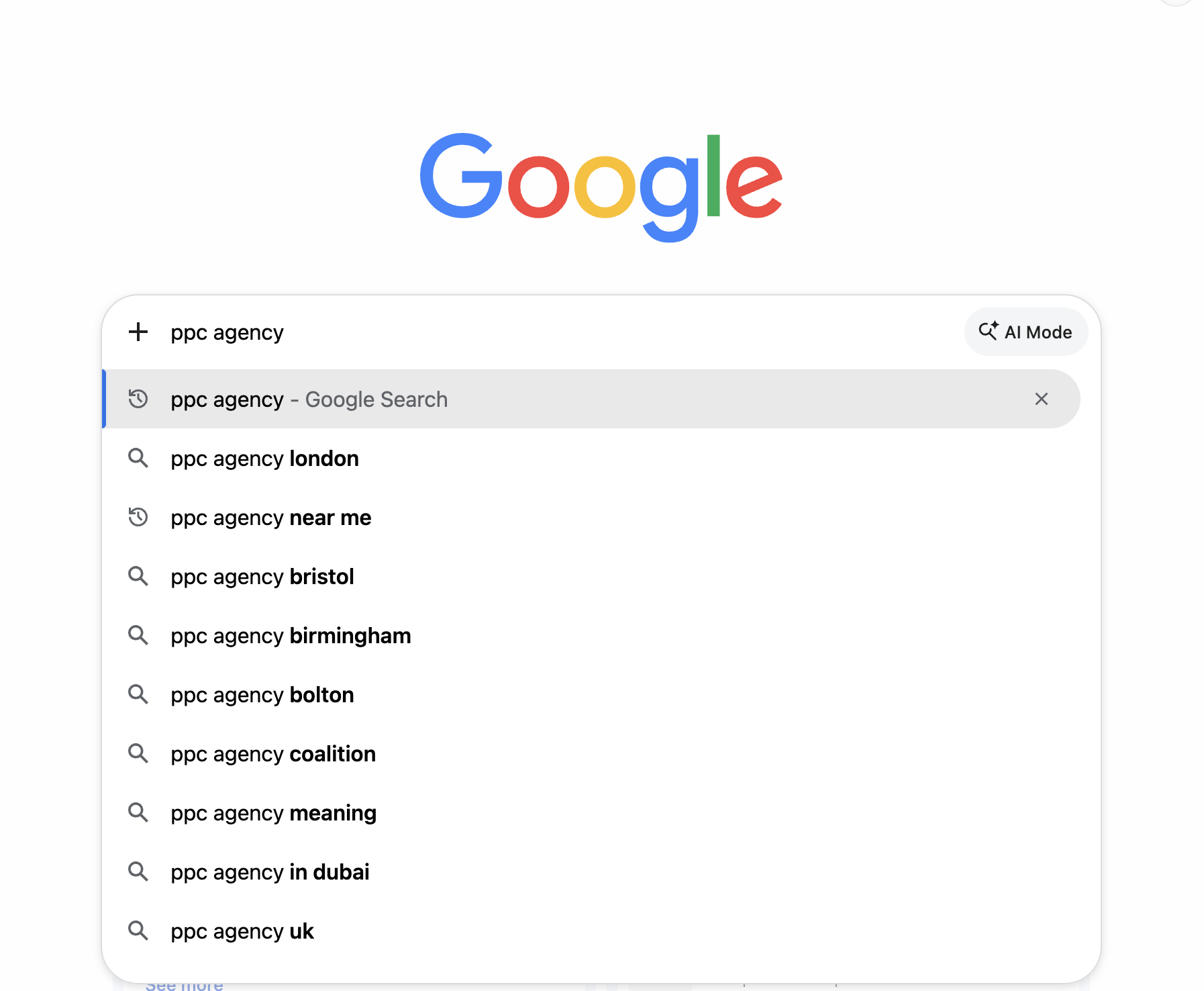
That gives you a few directions to investigate. You might find a different way of describing your service or a location that matters to your business.
Only keep suggestions that fit what you offer and where you work. A city appearing in the list isn’t a reason on its own to create a page for it.
Also, this is an ideas tool. It doesn’t tell you how many searches a keyword receives. Google’s autocomplete guidance explains that suggestions can be influenced by location, trends and previous searches, so another person may see different results.
Use Google Keyword Planner to Check Search Demand
The next free option is Google Keyword Planner.
You need a Google Ads account to use it, but you don’t need to be running paid ads to research keywords. Google’s current access guidance says you need to complete account setup, including billing information, to access basic keyword ideas.
Within Google Ads, open Tools → Planning → Keyword Planner, then choose Discover new keywords. Enter one of your main topics and check the location settings before reviewing the results.
If you’re researching local SEO, use the area you actually want to reach. UK-wide demand and demand in one city can look very different.
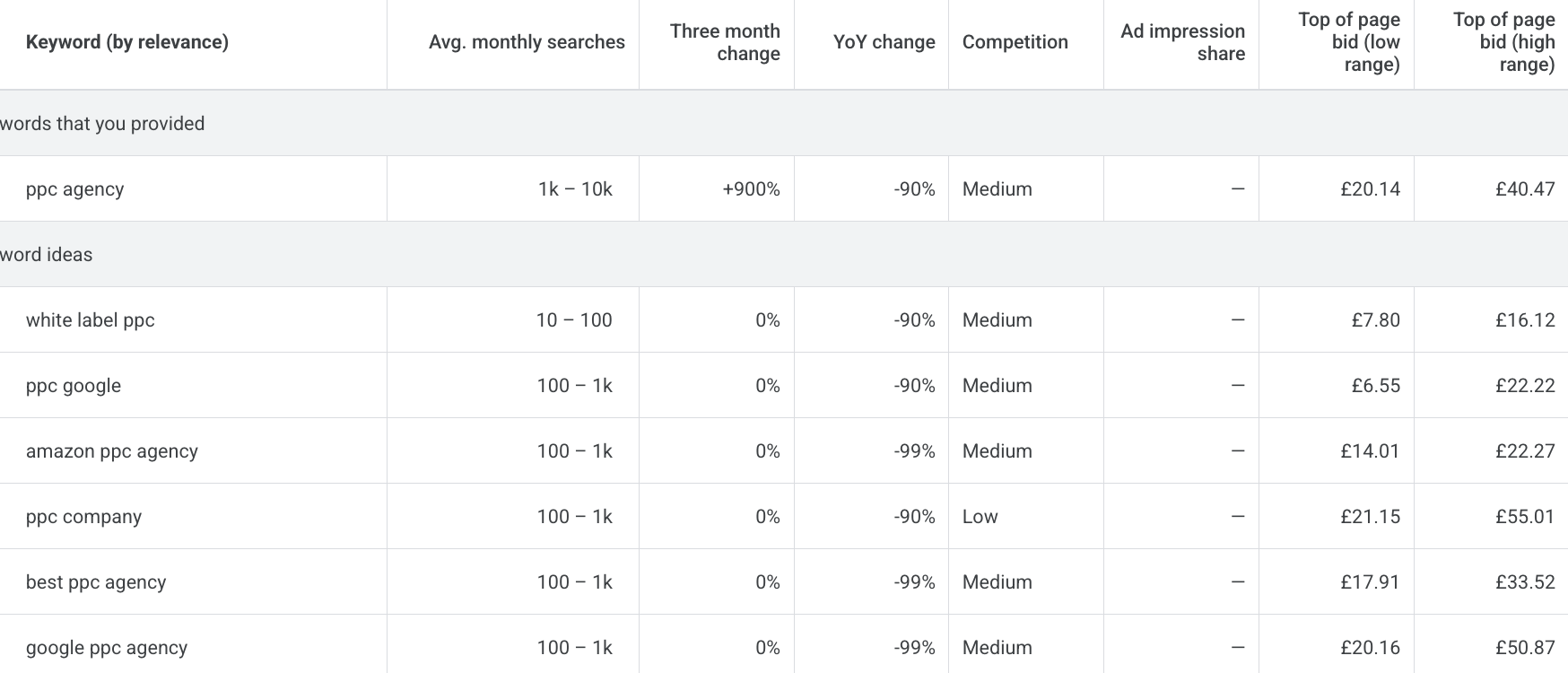
In my example, the ideas include “ppc company”, “best ppc agency” and “amazon ppc agency”. They won’t all be right for the same business. If you don’t offer Amazon advertising, that term can come off your list.
Look at average monthly searches to get an idea of demand. The screenshot shows ranges such as 100–1k, so treat these as estimates rather than precise counts of potential customers.
One thing to watch: Keyword Planner’s competition column measures competition between advertisers. A “Low” rating doesn’t mean a keyword will be easy to rank for organically. The bid columns relate to paid advertising too.
Use Ahrefs for More Detailed Keyword Research
There are plenty of paid SEO tools available. Personally, I use Ahrefs at Swift & Co.
Cost is the reason I choose it over Semrush for my own use. That’s my preference, rather than a claim that every Ahrefs plan is cheaper. Compare the features and limits you need before choosing a subscription.
In Keywords Explorer, enter your keyword and select your target country. In this example, I’ve searched for “ppc agency” with the United Kingdom selected.
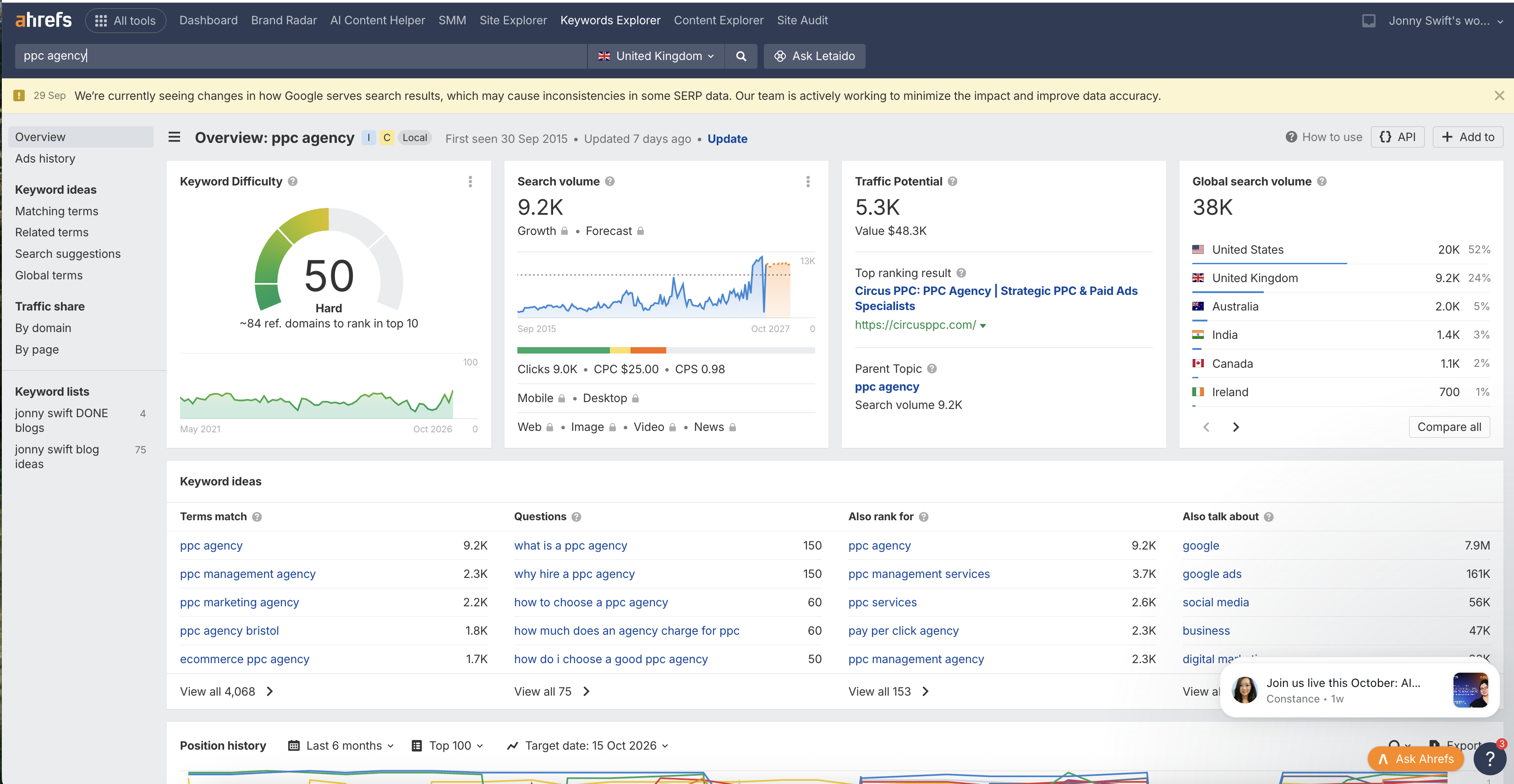
The overview gives you several useful things to compare:
- Search volume: estimated monthly searches in your selected country.
- Global search volume: estimated demand across countries, with a regional breakdown.
- Keyword Difficulty: an estimate of how hard it may be to reach the top 10 organic results.
- Keyword ideas: matching terms, questions and related searches you can investigate.
For a business targeting UK customers, check the UK figure before getting excited about global demand.
Also, Ahrefs’ difficulty score is based on referring domains linking to the top-ranking pages. It doesn’t assess every factor involved in ranking, so use it as a guide alongside a look at the actual search results.
Find Questions for Blog Content
This is the part I find especially useful when planning blog posts.
Open Matching terms and select Questions. This filters the ideas to question-based searches, as explained in Ahrefs’ keyword ideas guide.
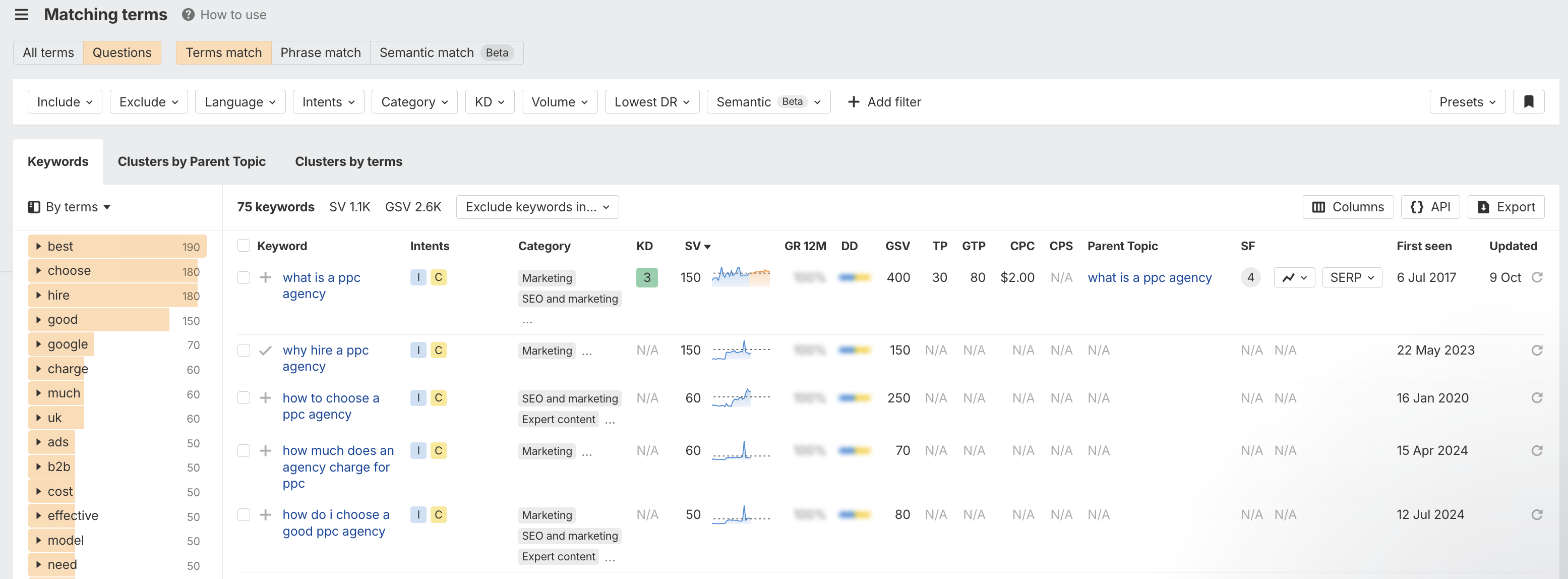
For example, the screenshot includes “what is a ppc agency”, “why hire a ppc agency” and “how to choose a ppc agency”.
These are more specific searches you could investigate for blog content. Check their estimated demand, available difficulty data and whether you can provide a useful answer. If a difficulty score is missing, it doesn’t mean the keyword has no competition.
If you use Semrush instead, I’ve also written a guide on finding blog topic ideas in Semrush.
Decide Which Keywords Belong on Your Website
Once you’ve collected some ideas, narrow them down by asking three questions:
- Is it relevant? Could someone searching this reasonably become a customer, or benefit from advice connected to your service?
- What do they want? Someone searching “PPC agency Leeds” may be looking for a provider. Someone searching “what is a PPC agency” needs an explanation. Look at the current results to help judge which type of page fits.
- Do you already have a suitable page? Similar variations can often sit together on one useful page. You don’t need a separate article for every phrase.
A smaller, relevant keyword can be more useful to your business than a broad term with a large volume. Choose searches that fit what you can offer and answer them properly.
Before adding more content, check my guide to updating old blog posts or writing new ones to decide whether an existing page could cover the topic.
Need Help Choosing Keywords for SEO?
Start with your main services, use Google to collect ideas, then check demand and relevance in Keyword Planner or a paid tool such as Ahrefs. That gives you a practical shortlist to work from.
If you need help researching keywords or deciding where to focus your website content, get in touch with Swift & Co to talk about your SEO.